Quick answer: Most WordPress sites lose potential customers through a handful of fixable issues: slow mobile loading, an unclear first screen, weak calls to action, forms that fail silently, dated design, a poor mobile layout and no tracking. Fixing speed, the first screen and form delivery usually brings the quickest gains.
Most websites do not lose customers in one dramatic way. They lose them quietly. A page takes a few seconds too long on mobile. The headline talks about you instead of the visitor. The contact form sends to an inbox nobody checks. None of these feel urgent on their own, but together they turn interested visitors into people who leave and call someone else.
If your WordPress site gets traffic but very few enquiries, the problem is usually not the platform. It is a handful of fixable issues. Here are the ones I look for first when I review a business website.
1. It is slow, especially on phones
Speed is the first impression your site makes, and most visitors arrive on a phone over a mobile connection. Heavy hero videos, uncompressed images, too many plugins and render-blocking scripts all add up. Google measures this with Core Web Vitals, and the targets are clear: the main content should appear within 2.5 seconds (LCP), the page should respond to taps within 200 milliseconds (INP), and the layout should not jump around (CLS under 0.1).
You can check your own site in a minute with PageSpeed Insights. If the mobile score is in the red or orange, speed is probably costing you visitors before they read a single word.
2. The first screen does not answer the visitor’s question
When someone lands on your homepage, they are asking three things: what do you do, is it for me, and what should I do next? If the first screen shows a vague slogan, a slider of stock photos or a wall of text, they have to work to find the answer. Most will not.
- Say what you do and who it is for in one clear headline.
- Support it with one short sentence about the result you deliver.
- Show one obvious primary action, such as “Get a quote” or “Book a call”.
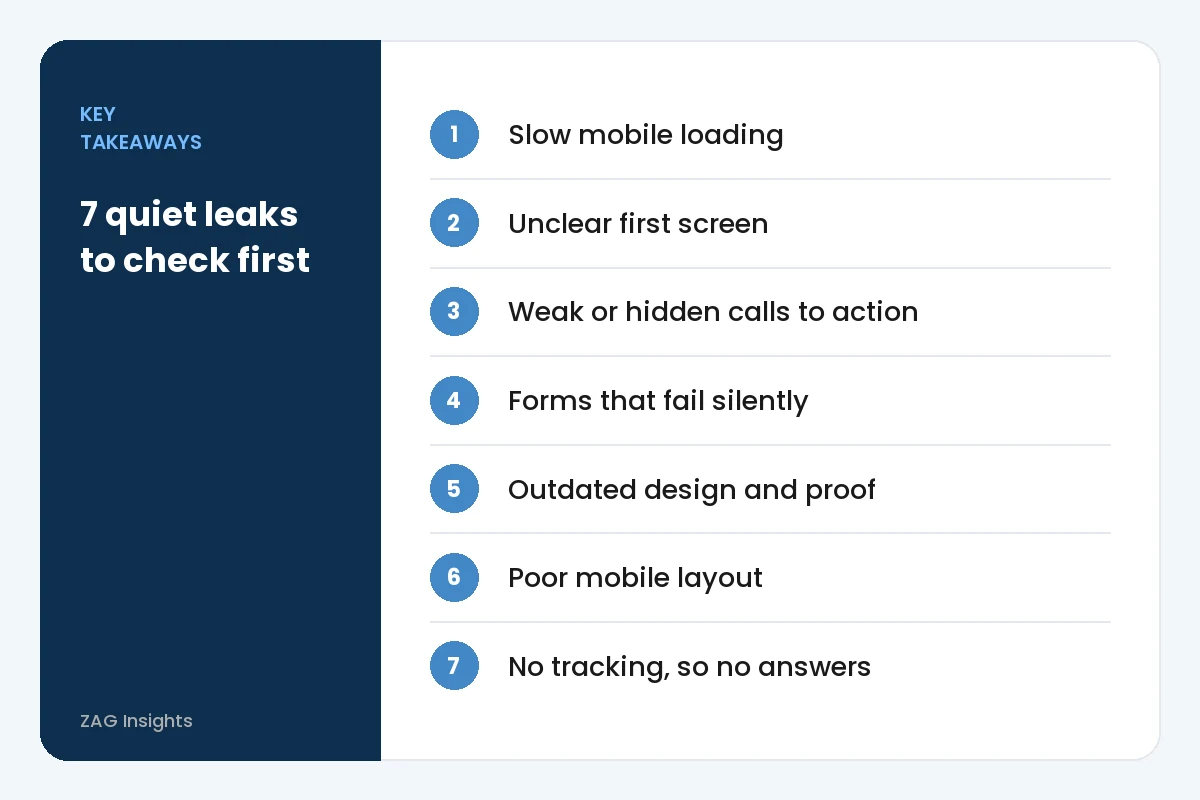
3. Calls to action are weak, hidden or competing
A visitor who is ready to act should never have to hunt for the next step. I often see sites where the only contact option is a small link in the footer, or the opposite: six different buttons on one screen, all asking for different things. Pick one primary action per page, repeat it at natural decision points, and make it specific. “Request a free estimate” works harder than “Submit”.
4. Forms that fail silently
This one is more common than most owners realise. WordPress sends email through your hosting server by default, and many hosts do not deliver those messages reliably. The visitor sees a success message, but the enquiry lands in spam or never arrives at all. Setting up proper SMTP delivery, testing every form after updates and adding spam protection that does not block real people are basic but essential maintenance tasks.
5. The design no longer matches the business
Design is a trust signal. If your site looks noticeably older than your competitors’, visitors assume the business behind it is too. Outdated testimonials, missing recent projects, stock photography and inconsistent fonts all send the same message. You do not always need a full rebuild. Often a focused redesign of the key pages, with real photos and current proof, makes the biggest difference.
6. The mobile layout is an afterthought
A desktop layout squeezed onto a phone screen is not a mobile experience. Tiny tap targets, text that needs zooming, menus that cover the page and phone numbers that are not clickable all push people away. Check your own site on your phone, then on a smaller one if you can. If anything feels fiddly to you, it feels worse to a stranger.
7. You are not measuring anything
Without analytics and form tracking, every decision about your website is a guess. At minimum, connect Google Analytics and Google Search Console, and track your key actions: form submissions, phone clicks and quote requests. Then you can see which pages bring enquiries and which ones lose people.
Where to start
You do not need to fix everything at once. Start with speed and the first screen of your most visited pages, then make sure every form actually reaches you. Those three changes alone often make a noticeable difference to the number of enquiries a site produces.
Sources and further reading
- Google Search Central: Core Web Vitals and Google Search
- web.dev: Web Vitals
- Google Search Central: Creating helpful, reliable, people-first content
Want a second pair of eyes on your site?
I can review your WordPress website and send you a clear, prioritised list of fixes, from speed to messaging to forms.