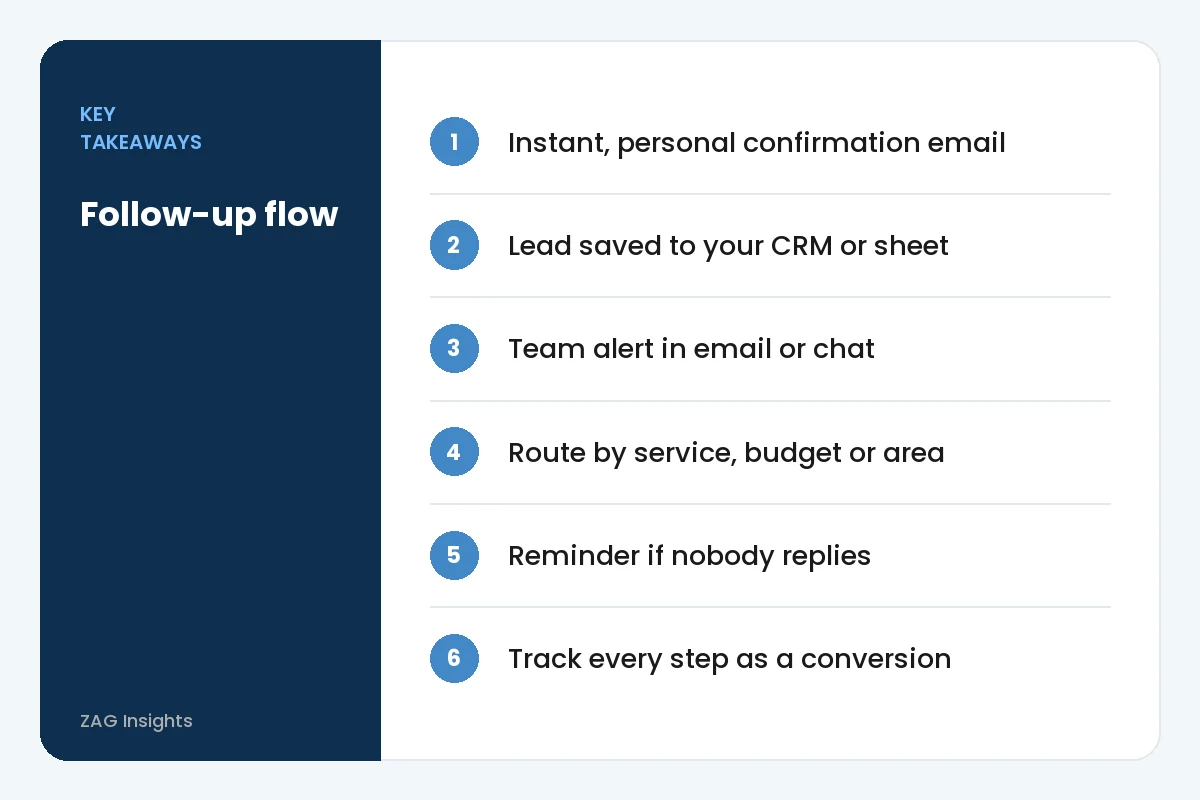
Quick answer: To automate lead follow-up, make the form reliable first, then send an instant personal confirmation, save every lead to your CRM, alert the right person, route enquiries by service or area, add reminders when nobody replies, and track each step in Google Analytics. Tools like n8n or Zapier connect it all.
A visitor fills in your contact form. What happens next? On many websites, an email lands in a shared inbox, sits there for a day or two, and by the time someone replies the prospect has already hired a competitor who answered first.
Automating the steps after a form submission is one of the simplest, highest-value improvements you can make to a business website. Here is how I set it up.
Step 1: Make sure the form is reliable
Automation is useless if the enquiry never arrives. Send email through authenticated SMTP rather than the server’s default mail function, store a copy of every submission in WordPress, add spam protection that does not block real people, and test the form after every update.
Step 2: Send an instant, human confirmation
Within seconds of submitting, the visitor should receive an email that confirms you got their message, says when they will hear from you and, if useful, links to a booking calendar or a relevant case study. Write it like a person, not a system notification.
Step 3: Save the lead where you work
Whether you use a CRM, a spreadsheet or a project tool, every lead should land there automatically with the details from the form and the page it came from. Tools like n8n and Zapier connect WordPress forms to hundreds of apps without custom code, and Elementor forms can send data to them through a webhook.
Step 4: Alert the right person
Send an alert to the person who should respond, by email or in your team chat. If different people handle different services or areas, route the lead based on the answers in the form. A clear owner for each enquiry is what stops leads slipping through the cracks.
Step 5: Add a safety net
Set a reminder if nobody has replied within a few hours, and a gentle follow-up email to the prospect a few days later if the conversation has stalled. Keep it helpful and personal, and stop automatically as soon as a real conversation starts.
Where AI fits in
AI can summarise long enquiries, suggest a draft reply, classify leads by service or urgency, and pull out key details like budget and timeline. Keep a person in the loop for anything sent to the prospect, at least until you are confident the output is consistently right.
Measure what happens
Track form submissions as events in Google Analytics, and record in your CRM which leads became clients. Then you can see which pages, services and campaigns bring real business, not just form fills, and improve the parts of your website that matter most.
Speed of reply is a competitive advantage most small businesses can have for free.
Sources and further reading
Want your website leads followed up automatically?
I connect WordPress forms to your inbox, CRM and team chat, with instant replies and reminders, so no enquiry is left waiting.