Quick answer: You can keep a WordPress site fast without simplifying the design by optimising the first screen, serving properly sized WebP images, limiting fonts, loading scripts only where they are needed and using page and browser caching. Google’s targets are LCP within 2.5 seconds, INP under 200 milliseconds and CLS under 0.1.
There is a common belief that a website can either look impressive or load quickly, but not both. In practice, most slow WordPress sites are slow because of a few avoidable decisions: an oversized hero video, five font families, a plugin for every small feature, or images uploaded straight from a camera.
Good performance is mostly a design decision made early, not a fix applied at the end. Here is how I approach it.
Start with the first screen
The element Google uses for Largest Contentful Paint (LCP) is usually your hero image or headline. Everything that delays it hurts your score and, more importantly, the visitor’s first impression.
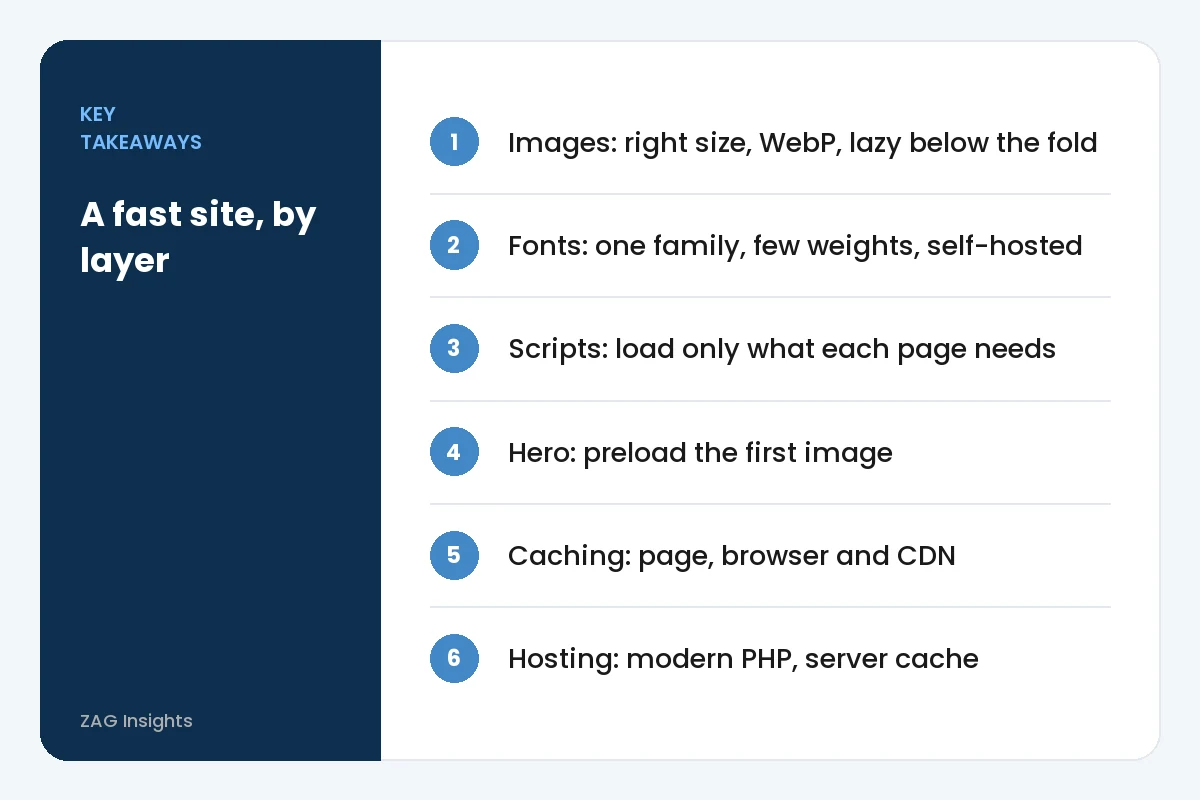
- Keep the hero image light: export it at the size it is displayed, in WebP or AVIF.
- Preload it and give it high fetch priority, and never lazy-load it.
- If you use a background video, give it a poster image so something meaningful appears immediately.
- Avoid hiding the headline behind an entrance animation that waits for JavaScript.
Treat images as the biggest lever
On most business websites, images are the heaviest part of the page. WordPress generates responsive sizes automatically, so the browser can choose a smaller file on a phone. That only works if you upload a sensible original and use the right image size in your page builder. Animated GIFs are a special case: converting them to animated WebP or a short video can cut their size dramatically with no visible difference.
Be strict with fonts
Every font family and weight is another file to download before text looks right. One well-chosen family with three or four weights is plenty for most brands. Self-hosting Google Fonts, which Elementor can now do with a single setting, removes an extra connection to a third-party server and helps privacy too.
Load scripts only where they are needed
A contact form plugin does not need to load its scripts on every page. Neither does a slider, a booking widget or a reCAPTCHA. Conditional loading, deferring non-critical scripts and delaying heavy third-party code until the visitor interacts can cut hundreds of kilobytes from the initial load. This is often where Total Blocking Time and Interaction to Next Paint improve the most.
Keep animation purposeful
Animation can make a site feel premium, but it has a cost. Animate transform and opacity rather than layout properties, keep heavy effects below the first screen, and respect visitors who prefer reduced motion. Smooth-scrolling libraries in particular can make a site feel laggy rather than smooth, so use them carefully, if at all.
Let caching do the heavy lifting
A good caching setup serves a ready-made page instead of rebuilding it with PHP and database queries for every visitor. On LiteSpeed servers, LiteSpeed Cache handles page caching, browser caching and CSS minification. On other hosts, WP Rocket or the host’s own cache does the same job. Add long browser cache lifetimes for static files so returning visitors load almost nothing.
Measure, change one thing, measure again
Run PageSpeed Insights on your homepage and one or two key inner pages, note the numbers, then change one thing at a time. Lab scores move around from run to run, so look for consistent improvement rather than a single perfect number. Real-world data in the Core Web Vitals report in Search Console is what Google actually uses over time.
A fast website is not a stripped-down website. It is a website where every heavy element has earned its place.
Sources and further reading
- web.dev: Web Vitals
- web.dev: Optimize Largest Contentful Paint
- web.dev: Optimize Cumulative Layout Shift
Is your website slower than it should be?
I optimise WordPress sites for Core Web Vitals without changing the design your customers know.