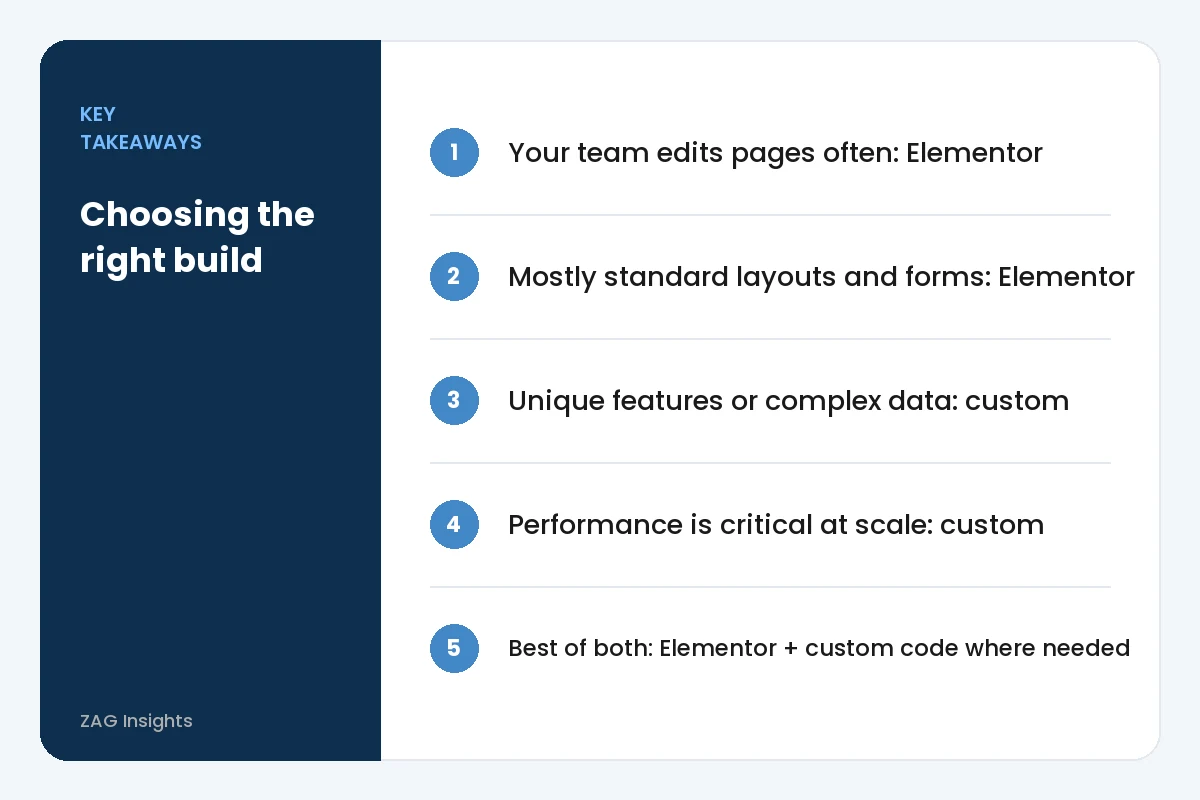
Quick answer: Use Elementor when your team needs to edit pages often and the site relies on standard layouts and features. Choose custom development for unique functionality, complex data or performance-critical sites. For most small businesses, a clean Elementor build with targeted custom code is the best balance.
Clients often ask whether they should build their WordPress site with Elementor or have it custom-coded. Online, the debate can get heated. In reality both are good tools, and the right choice depends on your business, not on developer preference.
What Elementor does well
Elementor is a visual page builder. Its biggest advantage is that the people running the business can update their own pages without touching code. For marketing teams that publish landing pages, update services or test new offers, that independence matters a lot.
- Fast to build and change: layouts, forms and popups are ready to use.
- Easy for non-developers to edit with confidence.
- Theme Builder handles headers, footers and templates for posts and archives.
- Global colours and typography keep the brand consistent when used properly.
Where Elementor can struggle
Page builders add extra markup and CSS. On a well-built site that overhead is manageable, but a careless build with dozens of add-on plugins can become heavy and hard to maintain. Very custom functionality, such as complex calculators, member dashboards or unusual data relationships, can also push a builder past what it does comfortably.
What custom development does well
A custom theme or plugin is written specifically for your site. It loads only what it needs, can model your content exactly with custom post types and fields, and can integrate with other systems however you like. For high-traffic sites, complex applications or products with unique requirements, that control is worth the investment.
The trade-offs of custom code
Custom development usually costs more up front and makes you more dependent on a developer for layout changes. A content edit is easy, but moving sections around or creating a new page design often needs code. That is fine for some businesses and frustrating for others.
The approach I usually recommend
For most small and medium businesses, the best result is a hybrid. Build the site in Elementor with a clean setup: global styles, reusable templates, native widgets and as few add-ons as possible. Then add custom code only where it genuinely helps, such as a custom post type for projects, a small plugin for a specific integration, or a carefully scoped animation. Keeping that custom code organised in one place, for example in WPCode snippets or a child theme, keeps it maintainable.
Questions to ask before you decide
- Who will update the site day to day, and how comfortable are they with WordPress?
- Is the functionality standard (pages, forms, blog) or genuinely unique?
- How much traffic do you expect, and how important is every millisecond of speed?
- What is your budget now, and what can you invest in maintenance later?
Answer those honestly and the right approach usually becomes obvious.
Sources and further reading
Not sure which approach fits your project?
I build with Elementor and write custom WordPress code, so I can recommend what suits your goals rather than what suits a tool.