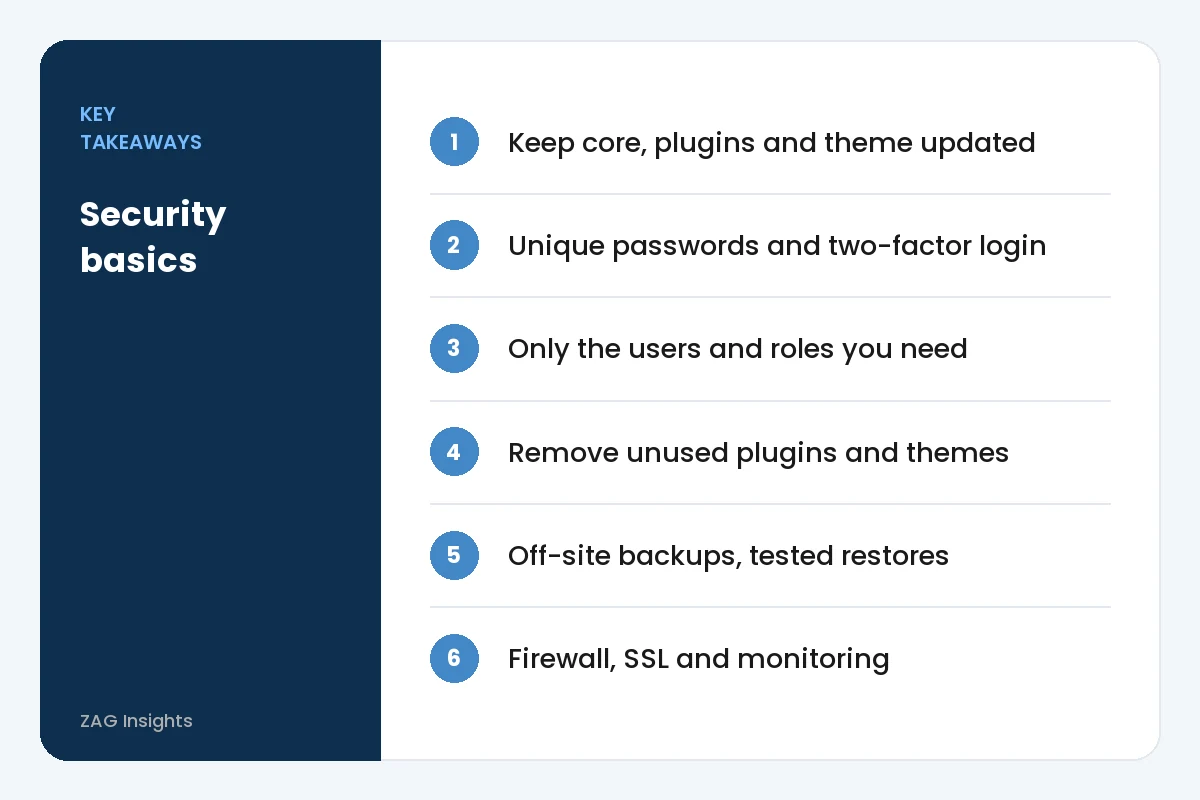
Quick answer: Most WordPress hacks exploit outdated plugins and weak passwords. Keep core, plugins and themes updated, use unique passwords with two-factor login, give users only the access they need, delete unused plugins, keep tested off-site backups, and add a firewall, HTTPS and monitoring.
When a business website gets hacked, the owner often assumes someone targeted them. In reality, most attacks are automated. Bots scan thousands of sites a minute looking for outdated plugins, weak passwords and known vulnerabilities. If your site has one, it gets found.
The good news is that a handful of basic habits close most of those doors. You do not need to be technical to understand them, and you should make sure someone is responsible for each one.
1. Keep everything updated
Outdated plugins are the most common way WordPress sites are compromised. Keep WordPress core, your theme and every plugin updated, ideally after testing on a staging copy for larger updates. Replace plugins that are no longer maintained by their developers, even if they still seem to work.
2. Strong logins and two-factor authentication
Every account with access to your site should use a unique, long password stored in a password manager. Add two-factor authentication for administrator accounts, using a plugin such as Two Factor or your security plugin’s built-in option. This alone stops most password-guessing attacks.
3. Give people only the access they need
Not everyone needs to be an administrator. Someone who only writes blog posts can be an Author or Editor. Remove accounts for former staff and contractors as soon as they leave, and review your user list every few months.
4. Remove what you do not use
Every plugin and theme is code that could contain a vulnerability, even when it is deactivated. Delete unused plugins and themes completely, and think twice before installing a new plugin for a small feature that a few lines of code or an existing tool could handle.
5. Backups that live somewhere else
A backup stored only on the same server as your site can disappear with it. Keep automatic backups off-site, retain several weeks of history, and test a restore occasionally. A backup you have never restored is a hope, not a plan.
6. Layers of protection
HTTPS should be on everywhere. A web application firewall, offered by many hosts and services like Cloudflare, filters malicious traffic before it reaches WordPress. Limit login attempts, keep file editing disabled in the dashboard, and follow the official WordPress hardening guide for the rest.
7. Watch for problems
Uptime monitoring tells you when the site goes down. Security scans and Google Search Console alert you to malware or hacked content. The sooner you know, the smaller the clean-up. Many of these checks fit naturally into a regular maintenance routine.
Security is a habit, not a product
No plugin makes a site permanently secure. What works is a simple routine, done consistently: updates, backups, access reviews and monitoring. If nobody on your team has time for it, that is exactly what a maintenance plan is for.
Sources and further reading
- WordPress Developer Resources: Hardening WordPress
- WordPress Developer Resources: Backups
- OWASP Top Ten
Want your WordPress site looked after properly?
I offer ongoing WordPress maintenance with updates, backups, monitoring and fixes, so you can focus on your business.